Rob Run Cheat Download and Setup, From Checkout to Config
Set up a Rob Run cheat step by step: plan, account download and key, Borderless or Windowed mode, Insert and F9, a first config and quick troubleshooting.
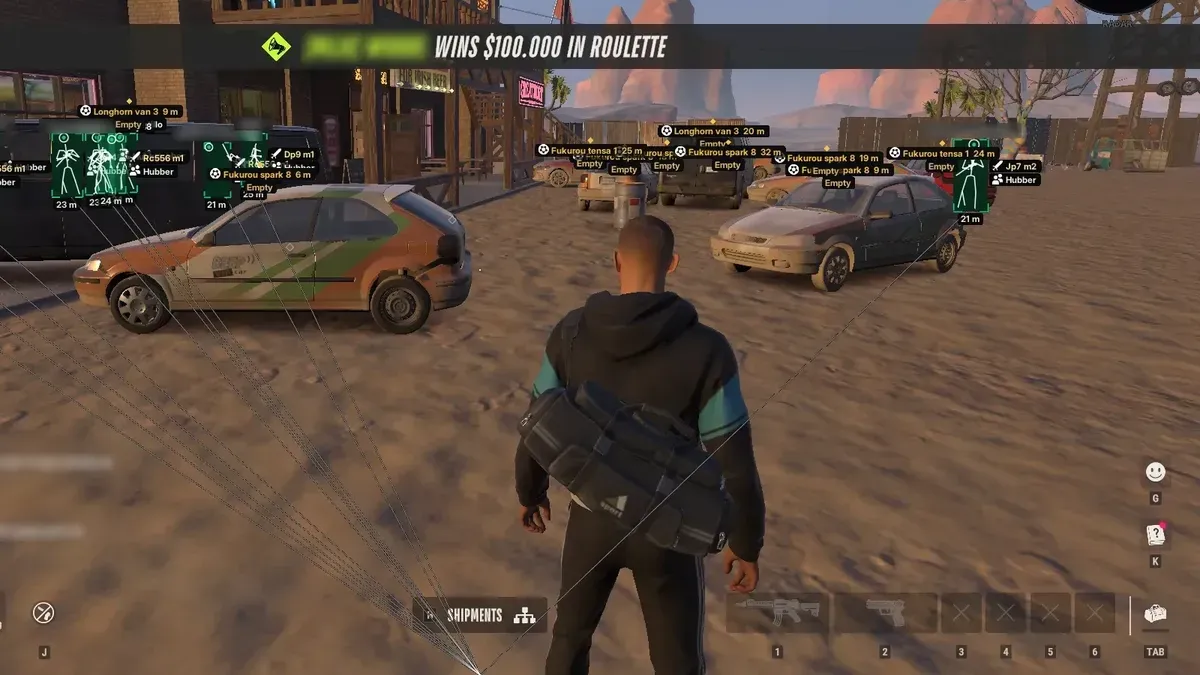
Buying a Rob Run cheat takes a minute. Getting it running properly takes a little longer, mostly because of a few small requirements that are easy to miss. This walkthrough covers the whole path for Elysium RR, from the checkout page to a saved first config, in the order you will actually do it. If something goes wrong partway through, the troubleshooting notes near the end cover the usual causes.
Before you buy
Check three things first, because none of them can be fixed after purchase:
- Windows version: Windows 10 or Windows 11, any version, including 26H2.
- Processor: Intel and AMD CPUs are both supported.
- Game copy: the Steam version of Rob Run. No other store version works with it.
Also accept the basic trade-off before paying. Easy Anti-Cheat guards Rob Run, and any cheat, this one included, can lead to a ban. Use Rob Run cheats only on an account you can afford to lose.
Step 1: choose a plan and pay
Elysium RR has two plans:
- 7 days for $14.99
- 30 days for $29.99
The seven-day plan is a sensible first purchase if you want to try the menu before committing. Pick one on the Rob Run cheats product page. Checkout runs on VeteranCheats, and the available payment methods are shown there.
Step 2: open your VeteranCheats account
After payment, everything you need is in your VeteranCheats account (key under Purchases, loader and guide in Downloads):
- The download for the current build.
- Your personal key, which activates your plan.
- A step-by-step guide written for this product.
Read the guide once before you start. It is short, and it covers the details for the current build.
Step 3: set Rob Run's display mode
Elysium RR is an external overlay, which means it draws on top of the game window. For it to show, Rob Run needs to be set to Borderless or Windowed mode rather than exclusive fullscreen.
Open Rob Run's display settings, switch the mode, and restart the game if it asks you to.
Step 4: launch and enter your key
Follow the guide's instructions to run the download and enter your personal key. Keep the key private; it is tied to your purchase.
Step 5: open the menu
With Rob Run running, press Insert. The menu appears over the game. Press Insert again to close it. Press F9 at any time to unload the menu completely.
Those two keys are worth memorising before you do anything else.
Step 6: a first config
Resist turning everything on; a screen buried in labels is an easy first-day mistake with any Rob Run hack. A short, readable starting setup:
- In the Visuals tab, enable Master Players ESP, then Corner Box, Names and Health Bar.
- Turn on Roles so you can tell cops from robbers.
- In the Radar tab, turn on Show Radar and Show Players.
- Leave the aimbot and the Weapon tab off for now.
- Open the Config tab and save this as your baseline.
Play a session with just this. Then add one option at a time. The player ESP setup guide walks through the next layers.
Step 7: hotkeys
In the Config tab, you can assign feature hotkeys. Good early candidates are Master Players ESP and Show Radar, so you can clear or restore the screen without opening the menu.
If something does not work
The menu does not appear
The most common reason is that Rob Run is still in exclusive fullscreen. Switch to Borderless or Windowed and try again.
"Connection terminated by anti-cheat system. Unknown file version"
When you see this, Rob Run's own files are the thing to fix. Verify them through Steam: Library, right-click Rob Run, Properties, Installed Files, Verify integrity of game files. Then launch again.
It worked yesterday but not today
Rob Run is in early access, so it updates often. Grab a fresh copy of the build through your guide's download link. The after-updates article covers that routine in full.
Anything else
Support runs through Discord, and the FAQ answers the most common questions.
Related: StreamProof Rob Run Cheats for OBS and Discord Recording · Rob Run ESP Cheat Setup: Build a Layout You Can Read · Rob Run Cash ESP Cheat: Loot, Containers, Cargo and Worth
Get Rob Run cheats
The same ESP and aimbot features covered in this guide — instant key delivery and a setup guide in your account.
Get Rob Run cheats Rob Run cheat purchase link