Rob Run Cheats After Updates: What to Do on Patch Day
What to do with Rob Run cheats after a game patch: fetch the new build, fix the Unknown file version error with a Steam file check, and ask Discord well.
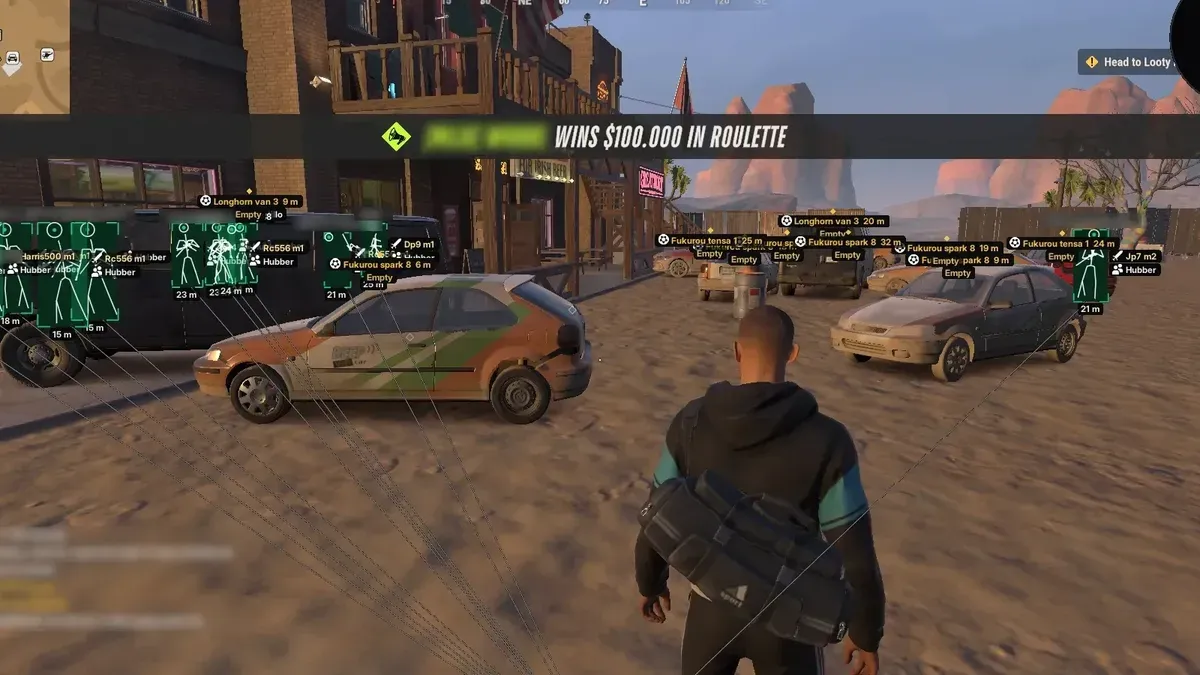
Rob Run is an early access game on Steam, and early access games get patched a lot. For anyone using Rob Run cheats, a patch is the one moment where things can stop working for reasons that have nothing to do with your settings. The same applies to any Rob Run hack built around a specific game version. This article treats patch day as a set of situations you might land in, explains what to do in each one, and covers the habits that make the whole thing less of a chore.
Why a patch affects the menu at all
Elysium RR is an external overlay built around the current version of the game. When Rob Run changes, what the menu expects to find can change with it. Sometimes a patch makes no difference. Sometimes it means the menu needs an updated build. You cannot tell which from the patch notes alone, which is why a simple routine helps.
What the team does on its side
After each Rob Run update, the team tests the menu against the new version. When a fix is needed, they push a new build. You get that build the same way you got the first one: through the download link in your guide, in your VeteranCheats account.
That means the routine on your side stays short.
Three situations after a patch
Situation one: everything works
You start Rob Run after an update, press Insert, and the menu appears as usual. Good. Even so, it is worth downloading the build again from your guide link if you have not done so since the patch, so you are on the latest version. Then play a short session and check that the parts you rely on, such as player ESP, the radar and any markers, look right.
Situation two: the menu will not load or looks wrong
The menu does not appear, or the ESP draws in the wrong places. In that case:
- Close Rob Run and unload the menu with F9 if it is still running.
- Fetch the build again through the link in your guide.
- Check that Rob Run is still in Borderless or Windowed mode.
- Start Rob Run, then the menu, and try again.
If the problem remains, a fixed build may not be ready yet. Check Discord for news.
Situation three: "Connection terminated by anti-cheat system. Unknown file version"
Here the game files are the problem, not the menu. The fix is to verify Rob Run's files through Steam:
- In Steam, go to your Library.
- Right-click Rob Run and pick Properties.
- Select the Installed Files section.
- Hit Verify integrity of game files.
Let Steam finish, then launch the game again.
Habits that make patch days easier
Save your config before updating
Hit Settings Save in the Config tab whenever you change something you would hate to lose. It is a small habit that pays off on patch day, when you might be downloading a new build and want to load your settings straight back in.
Keep the guide bookmarked
The download link lives in your guide in your VeteranCheats account. Knowing exactly where it is saves time.
Check before a long session
If you plan a long evening of Rob Run right after an update, load in for a quick check first. Finding a problem halfway through a job is far more annoying.
Remember the risk does not change
Easy Anti-Cheat is part of Rob Run before a patch and after it, and running a cheat carries ban risk either way. A new build fixes compatibility; it is not a promise about anything else.
Talking to support
Support runs through Discord. If something is still wrong after you have downloaded the build again and verified your files, a clear message gets help faster. Include:
- What you did, in order (downloaded the new build, verified files, and so on)
- What you see, including the exact text of any error message
- Your Windows version
- Whether Rob Run is in Borderless or Windowed mode
That gives support enough to tell whether you are dealing with a known issue or something specific to your setup.
Where to look for more
The download and setup walkthrough covers first-time setup, which is useful if you are starting over after a fresh install. General questions about plans and requirements are in the FAQ, and the Rob Run cheats page shows the current product.
Related: Free vs Paid Rob Run Cheats: An Honest Side-by-Side Look · Aimbot Tuning by Feel for Rob Run Cheats: FOV to Filters · Rob Run Cheat Markers: Safes, Keys, Key Doors and Buyers
Get Rob Run cheats
The same ESP and aimbot features covered in this guide — instant key delivery and a setup guide in your account.
Get Rob Run cheats Rob Run cheat purchase link